Screen time limits
that actually hold
Choose the apps that steal your attention and set a daily limit. When time runs out, they block. Need more? Buy overtime for focus credits — so every extra minute costs you something real!


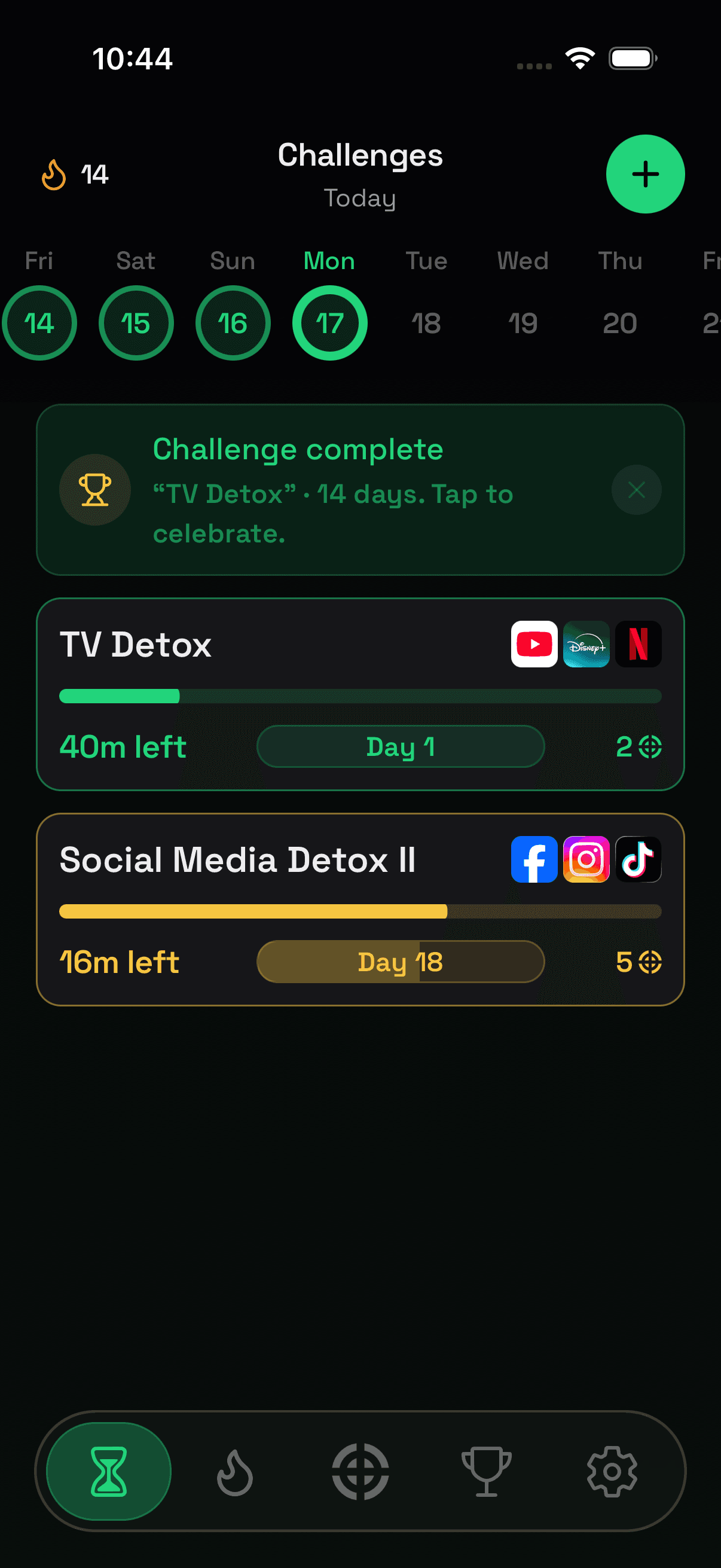
Choose the apps that steal your attention and set a daily limit. When time runs out, they block. Need more? Buy overtime for focus credits — so every extra minute costs you something real!
Build your own challenge or join a curated one. Either way, you're five steps from a limit that holds.
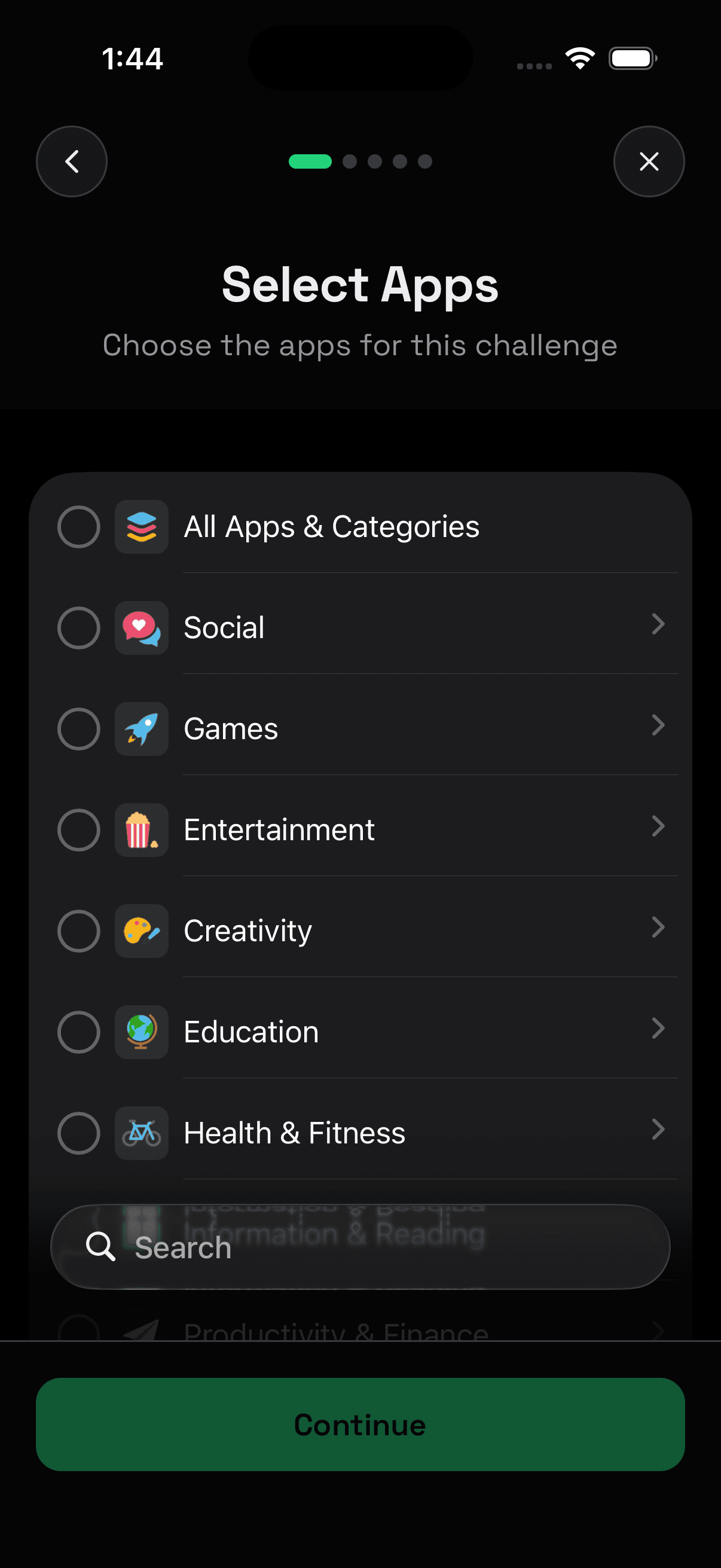
Choose the apps you want to limit — or start with a curated challenge.
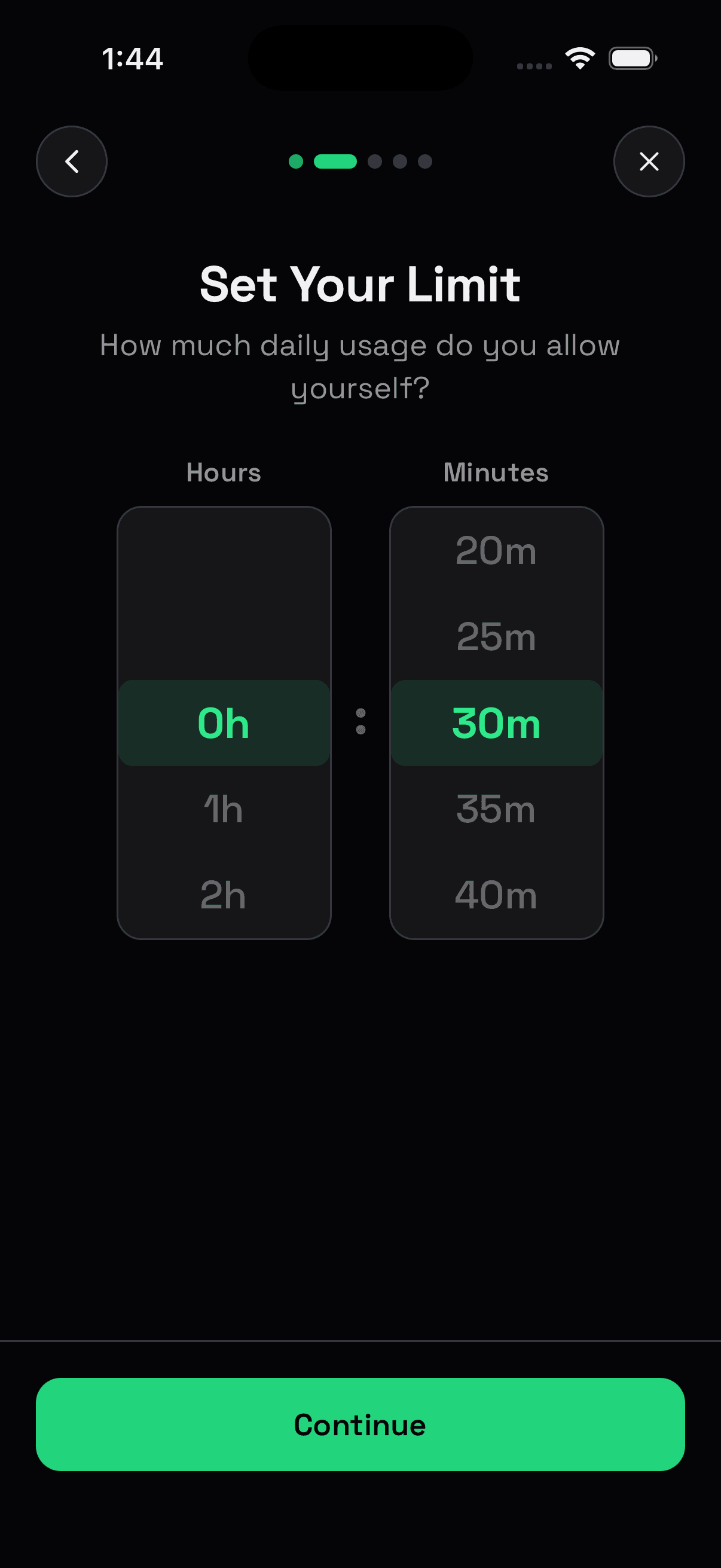
Set one daily allowance for the apps in your challenge. Lock On tracks their combined use throughout the day.
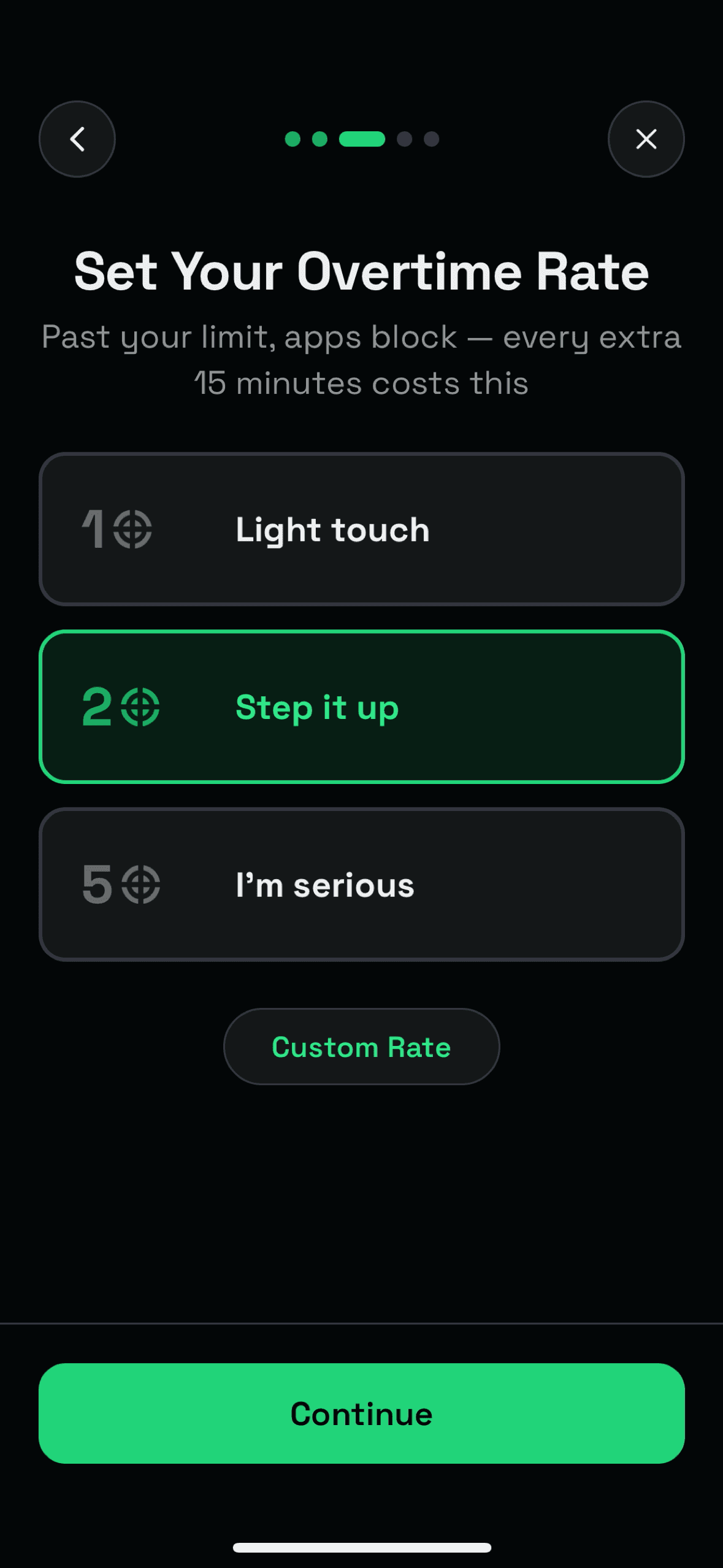
Choose what 15 minutes of overtime costs. When your limit runs out, your apps block — call it a day, or spend focus credits to continue.
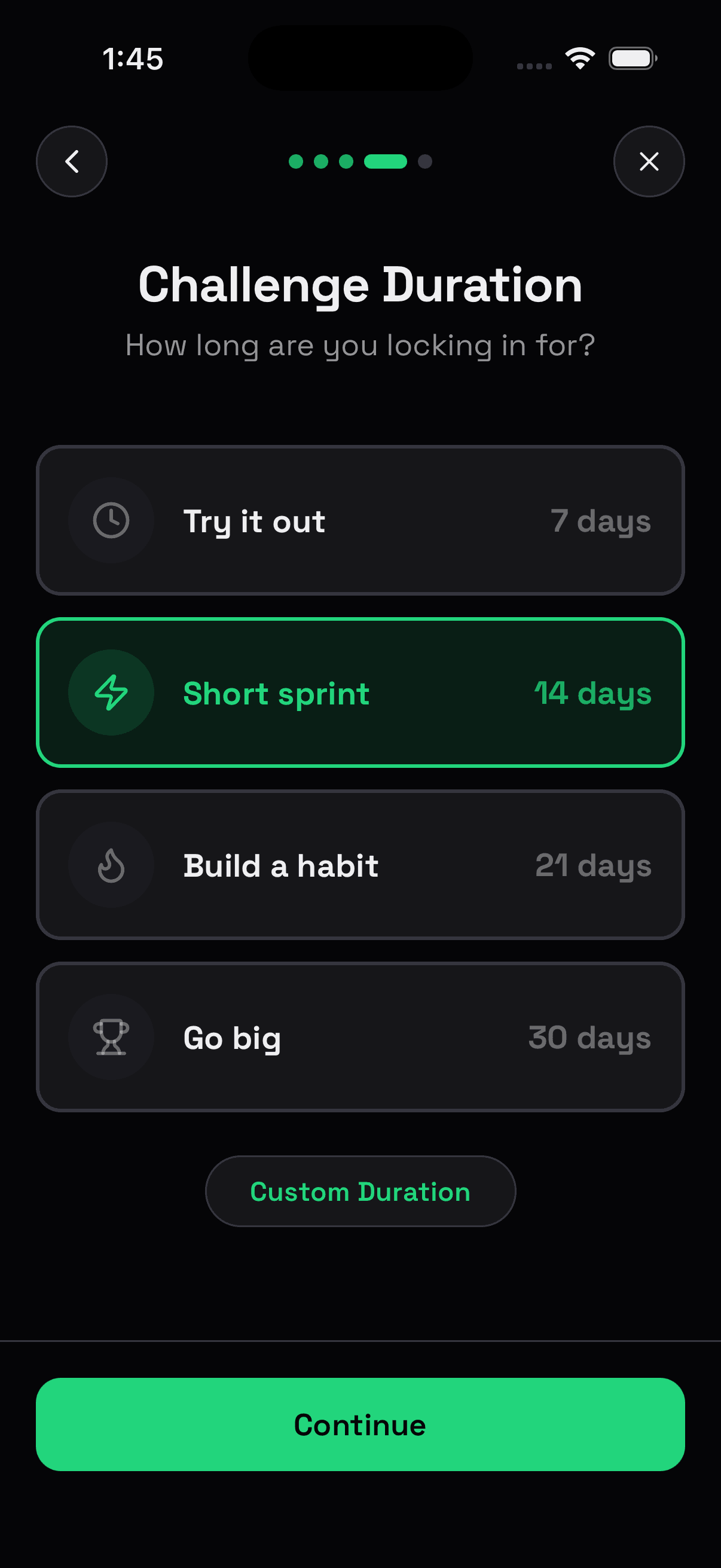
Choose a week, a month, or your own finish line. Every clean day builds your streak and moves you toward a stronger trophy.
Review your terms and start. Tighten them anytime. For easier changes – wait 48 hours. Or lock the challenge so it cannot be paused, loosened, or ended early.
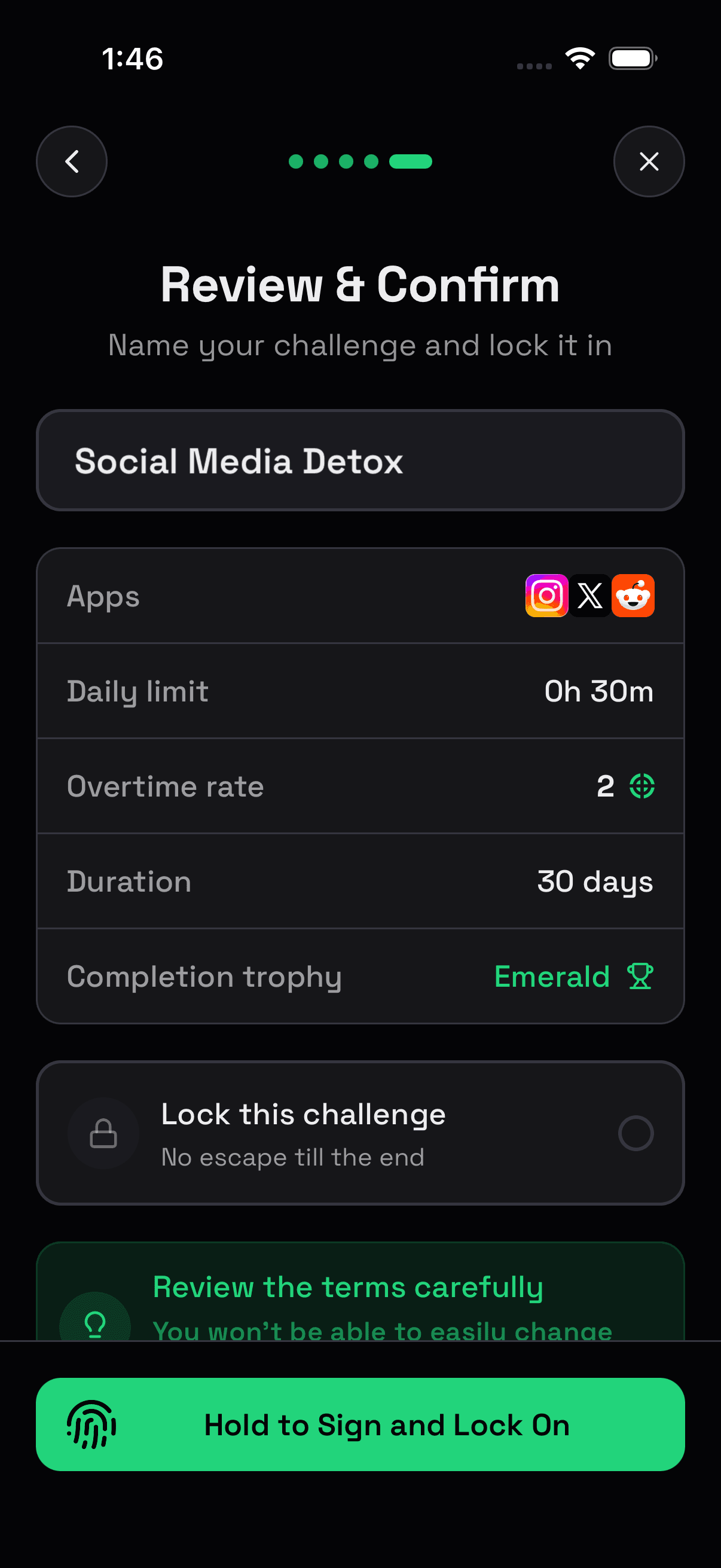
Lock On puts a speed bump before distracting apps, warns you as the limit gets close, and blocks them when time is up.
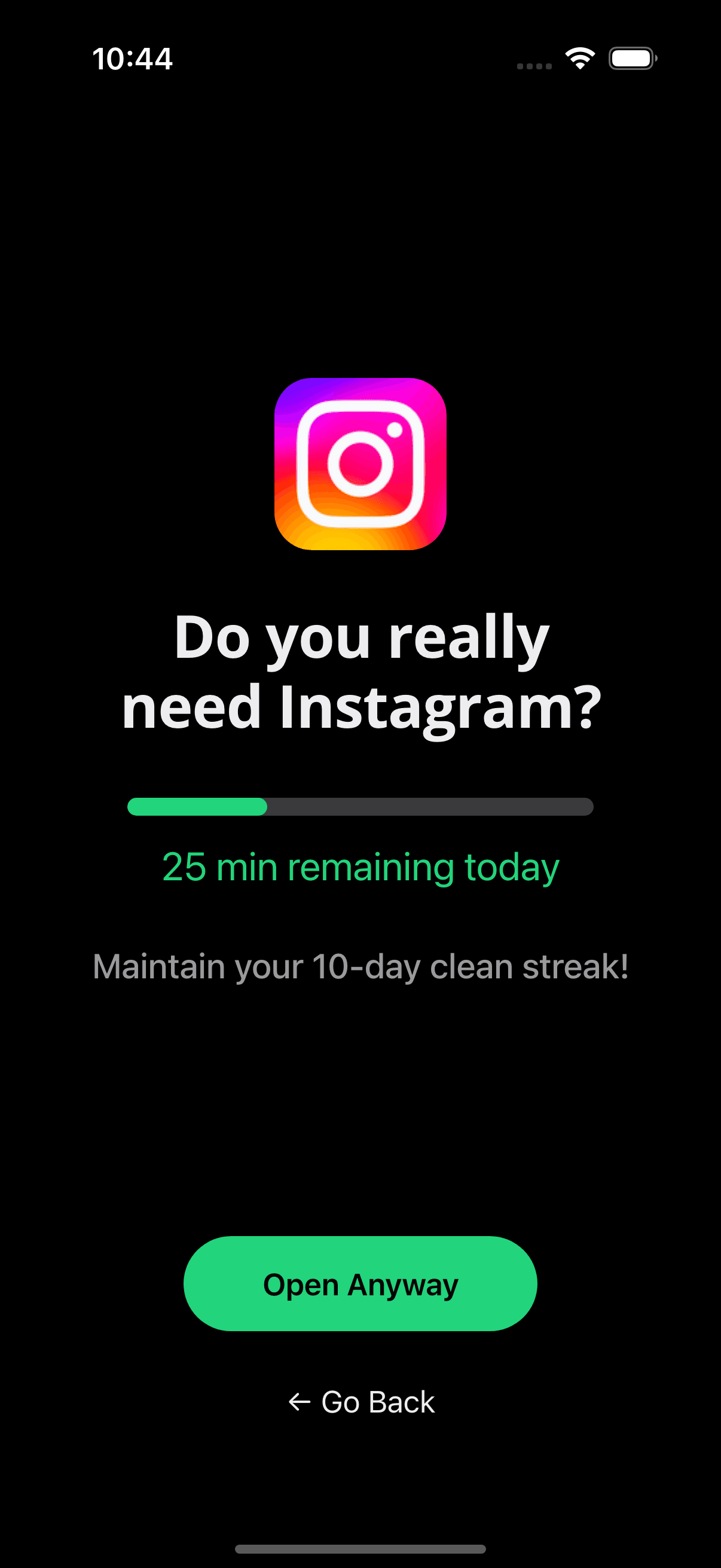
Open a locked app and Lock On asks if you really need it — with minutes left shown so you stay accountable.
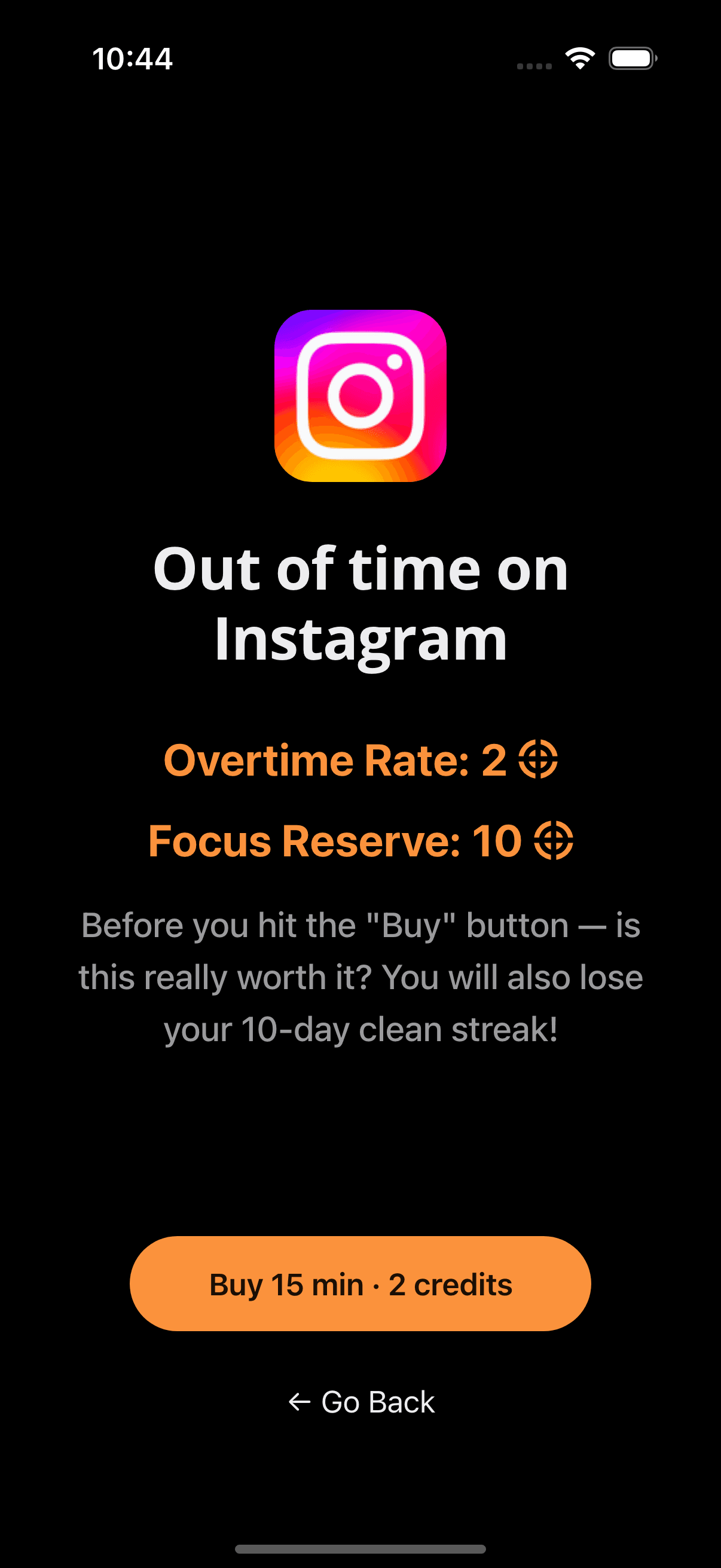
The app stays blocked. Buy 15 minutes from your Focus Reserve, or go back — every extra minute costs you something real.
Finish a challenge, earn a trophy, and see the days you actually stayed within the limit.
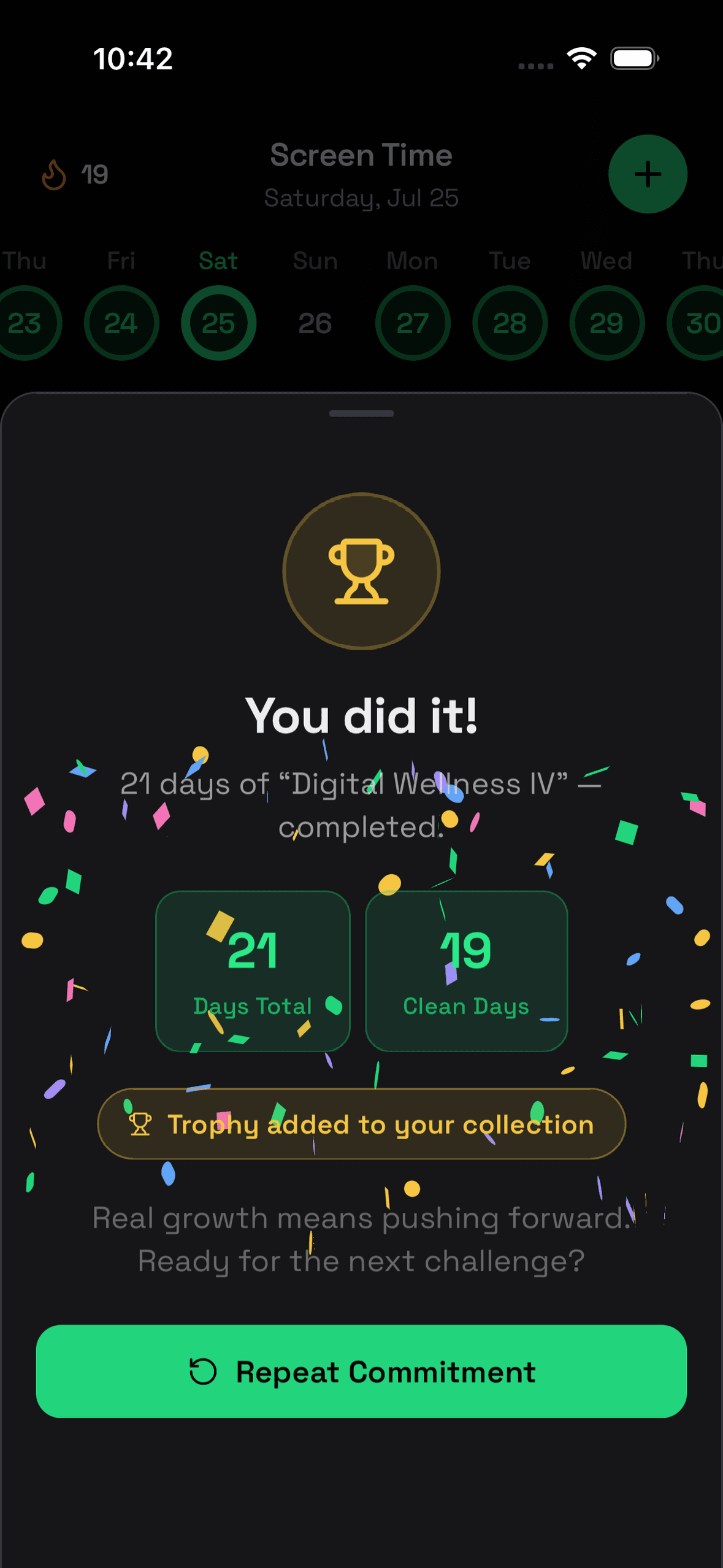
Finish a challenge and see what you built — clean days, a longer run, and a finish worth celebrating.
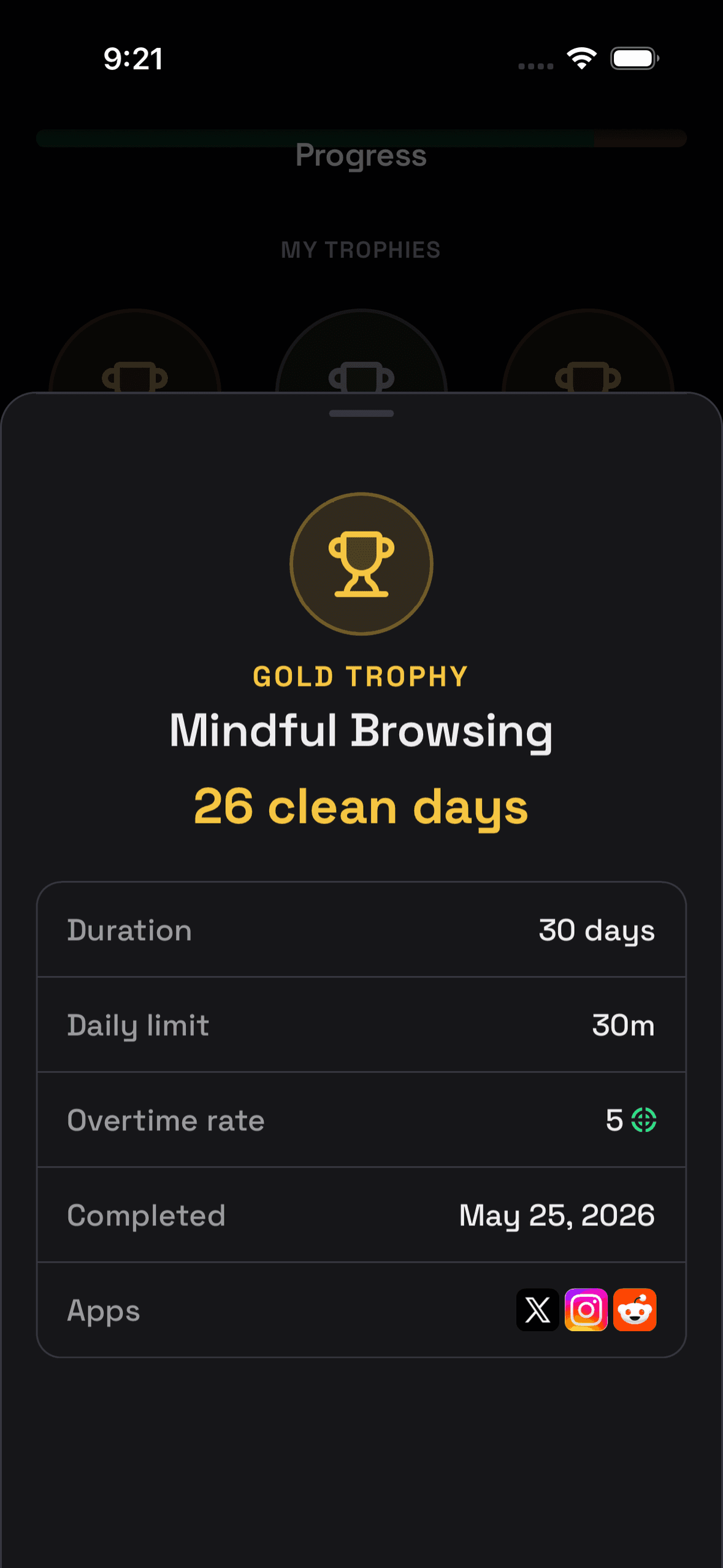
Complete challenges to earn trophies from Bronze to Diamond. The more clean days you bank, the stronger your trophy.
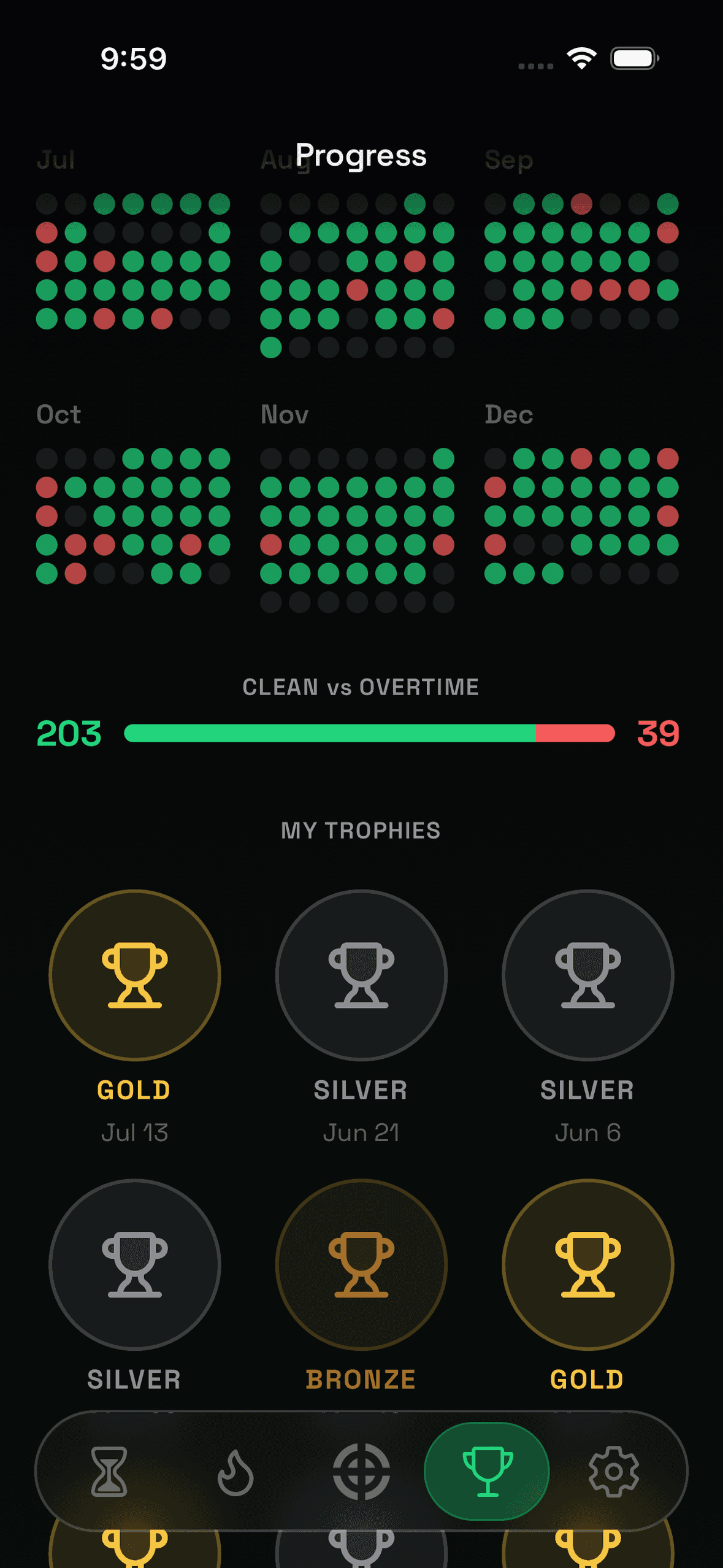
See your run, clean-day streak, calendar history, and daily breakdowns. Know exactly where your time went.
Join a challenge, bank credits for overtime, and stay in even when a day goes sideways.
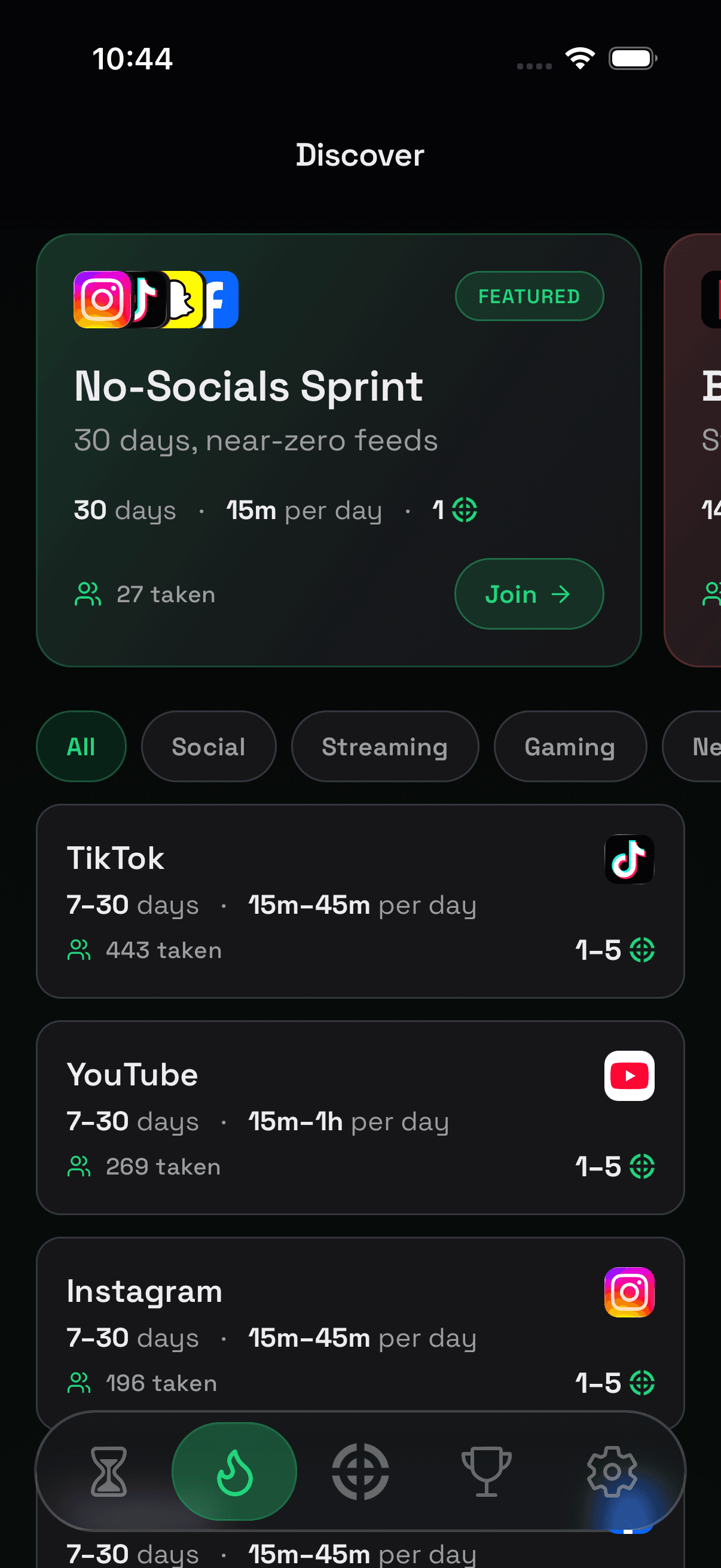
Browse featured sprints and popular app limits. Join one people are already taking — or build your own.
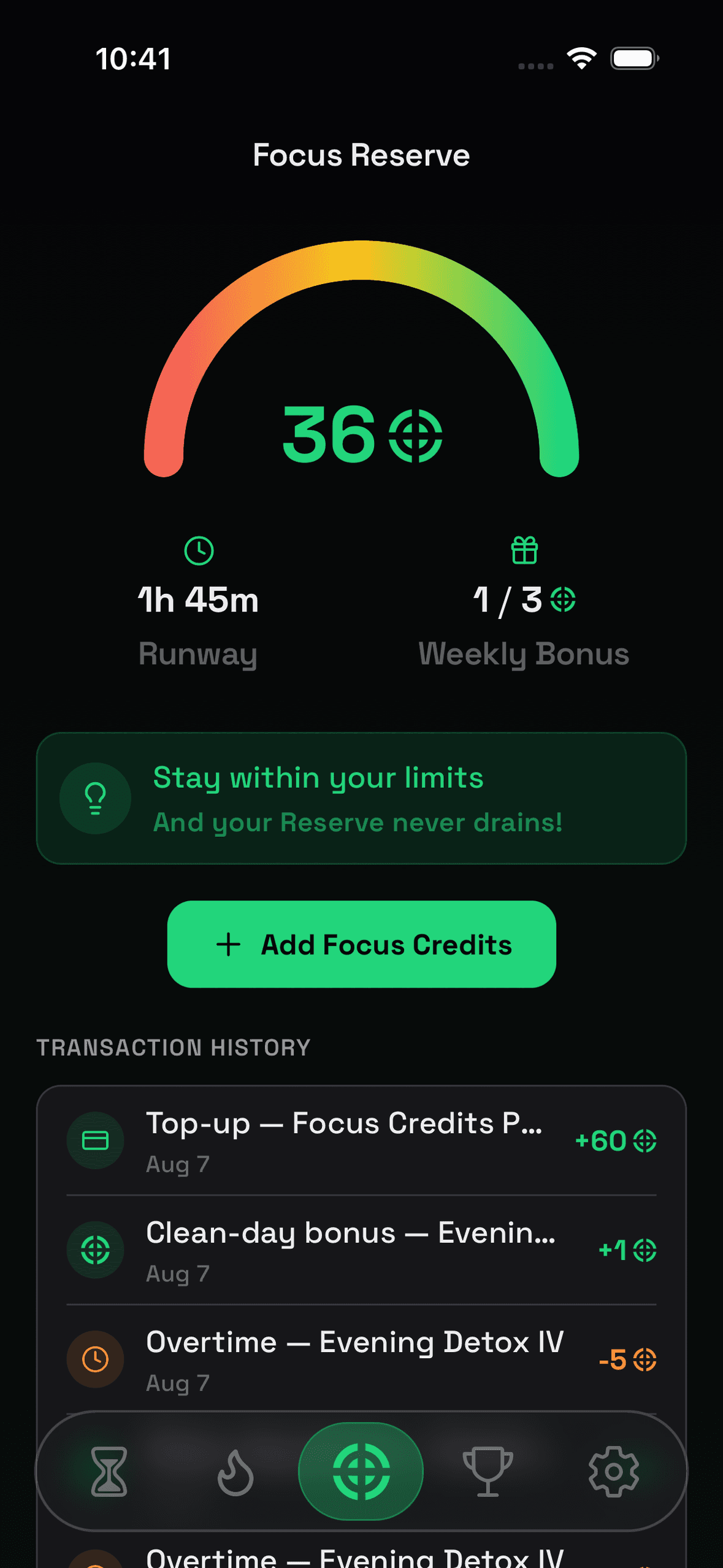
Earn credits through clean days and referrals, or top up anytime. Runway shows how much overtime your balance can cover.
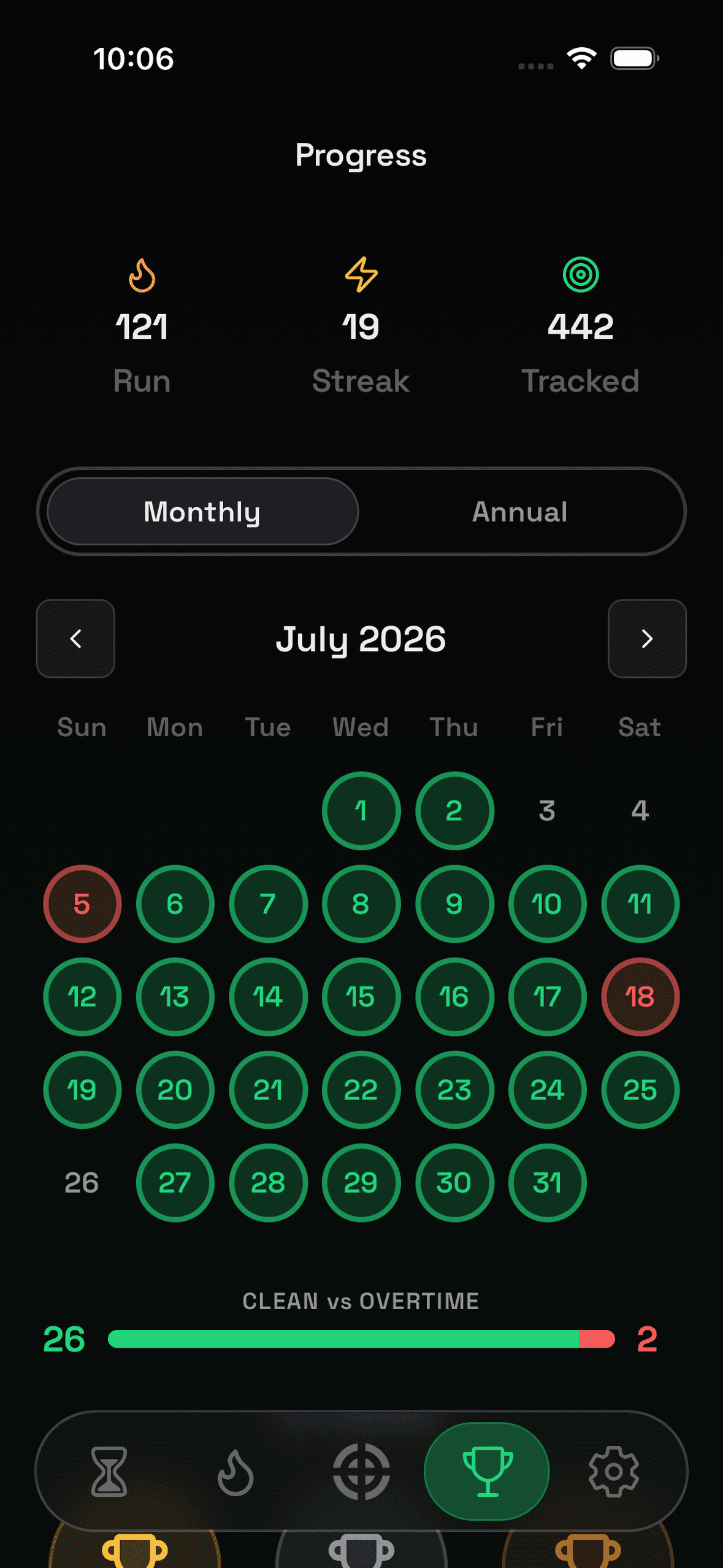
Clean days grow your streak. If you go to overtime, the streak resets — but your run continues as long as you stay committed.

Make every extra minute cost you something. Start your first challenge today!